Conversation & Memory management - Spring AI Series Part 3
Managing Conversation history, ChatMemory, memory windows and persistence using Spring AI
Audio controls for Conversation & Memory management - Spring AI Series Part 3
Listen to this article
Conversation & Memory with Spring AI
In the previous article, we explored prompt engineering. We can now control what the AI model receives and how its response is returned to our application.
But there is another important problem: A real conversation usually consists of multiple messages. If every request is treated independently, the model has no knowledge of what was discussed earlier.
In this article, we'll explore how conversation history and memory work with Spring AI.
We'll start with the difference between stateless and stateful conversations, then introduce ChatMemory, conversation IDs, persistence, and memory limits.
Finally, we'll look at short-term and long-term memory and some considerations for production AI applications.
Stateless Conversations
Let's start with a simple example.
Suppose we ask:
User: What is Apache Kafka?The model can answer the question.
Now we send another request:
User: What are its main use cases?A stateless application may treat this as a completely new request.
The model receives:
What are its main use cases?It doesn't automatically know that "its" refers to Apache Kafka.
This is because the previous interaction was not included in the second request.
The flow looks like this:
Each request is independent. This is a stateless conversation.
Stateful Conversations
To maintain a conversation, we need to provide relevant previous messages to the model.
For example:
User: What is Apache Kafka?

Assistant: Apache Kafka is a distributed event streaming platform...

User: What are its main use cases?
Now the model has enough context to understand what "its" refers to.
Conceptually:
This is a stateful conversation. The application is responsible for maintaining the conversation state and making the relevant history available to the model.
Conversation History and Message Roles
Before looking at Spring AI's memory abstraction, it is useful to understand what a conversation actually contains.
A conversation is made up of messages with different roles.
The most common roles are:
- System
- User
- Assistant
System message
A system message defines behaviour or instructions for the model.
For example:
You are an expert Java software architect.
Always consider scalability, reliability and security.
User message
A user message contains the user's request:
Explain how Kafka handles message delivery.Assistant message
An assistant message contains the model's previous response:
Kafka uses topics and partitions to organise messages...A conversation can therefore look like:
System
   │
User
   │
Assistant
   │
User
   │
Assistant
When we maintain conversation history, these messages form the context that can be provided to the model.
Managing Conversation History
We could manage this history ourselves.
For example:
List<Message> messages = new ArrayList<>();

messages.add(new SystemMessage(
        "You are an expert Java architect."));

messages.add(new UserMessage(
        "What is Apache Kafka?"));

messages.add(new AssistantMessage(
        "Apache Kafka is a distributed event streaming platform..."));

messages.add(new UserMessage(
        "What are its main use cases?"));
We could then send the complete list of messages to the model.
This works, but the application now has to manage:
- storing messages
- retrieving messages
- identifying conversations
- limiting history
- persistence
- deleting conversations
Spring AI provides an abstraction to handle this more cleanly.
ChatMemory
The custom conversation history we built earlier is useful for understanding the concept. But in a real application, we may have multiple users and conversations:
User A → Conversation 1
User A → Conversation 2
User B → Conversation 3
User B → Conversation 4
This introduces additional questions:
- Where is each conversation stored?
- How do we retrieve a particular conversation?
- How many messages should we retain?
- How do we add or clear messages?
- What happens when the application restarts?
- Can we change the storage mechanism later?
If every application service manages these concerns itself, we end up duplicating conversation-management logic.
This is where Spring AI's ChatMemory abstraction helps.
Similar to how Spring Data provides a repository abstraction over different database implementations:
Spring Data
    ↓
Repository abstraction
    ↓
Database implementation
Spring AI provides:
Spring AI
    ↓
ChatMemory abstraction
    ↓
Memory implementation
The basic operations are straightforward:
- Store messages
- Retrieve messages
- Clear messages
Each conversation is identified using a conversation ID, allowing conversations to remain isolated:
ChatMemory
    │
    ├── conversation-001
    │       ├── User
    │       ├── Assistant
    │       └── User
    │
    ├── conversation-002
    │       ├── User
    │       └── Assistant
    │
    └── conversation-003
            ├── User
            ├── Assistant
            └── User
We can operate on a conversation using its ID:
chatMemory.add(conversationId, messages);

List<Message> messages = chatMemory.get(conversationId);

chatMemory.clear(conversationId);
The actual storage is provided by a ChatMemory implementation:
                  ChatMemory
                     │
          ┌──────────┴──────────┐
          │                     │
          ▼                     ▼
      In-memory              Persistent
       storage                storage
          │                     │
          ▼                     ▼
       JVM/Map              Database/Redis
Implementing ChatMemory
Let's use ChatMemory in our Spring Boot application.
Create the endpoint
@RestController
@RequestMapping("/api")
public class ConversationController {

    private final ConversationMemoryService conversationMemoryService;

    public ConversationController(
            ConversationMemoryService conversationMemoryService) {
        this.conversationMemoryService = conversationMemoryService;
    }

    @GetMapping("/conversation-memory")
    public String conversationMemory(
            @RequestParam String conversationId,
            @RequestParam String message
    ) {
        return conversationMemoryService
                .chatWithConversationHistory(conversationId, message);
    }
}
The endpoint accepts a conversationId and a user message.
Add the service implementation
@Service
public class ConversationMemoryService {

    private static final String SYSTEM_MESSAGE =
            "You are a senior software architect and a system design expert.";

    private final ChatMemory chatMemory;
    private final ChatClient chatClient;

    public ConversationMemoryService(
            ChatMemory chatMemory,
            ChatClient.Builder chatClientBuilder) {

        this.chatMemory = chatMemory;
        this.chatClient = chatClientBuilder.build();
    }

    public String chatWithConversationHistory(
            String conversationId,
            String message) {

        // Get existing conversation history
        List<Message> conversationHistory =
                chatMemory.get(conversationId);

        // Call the model with previous history and the new message
        String response = chatClient.prompt()
                .messages(conversationHistory)
                .system(SYSTEM_MESSAGE)
                .user(message)
                .call()
                .content();

        // Store the new interaction
        chatMemory.add(
                conversationId,
                new UserMessage(message));

        chatMemory.add(
                conversationId,
                new AssistantMessage(response));

        return response;
    }
}
The flow is simple:
User Message
     ↓
Get conversation history
     ↓
Send history + new message to LLM
     ↓
Receive response
     ↓
Store user message + response
Testing the endpoint
Start a conversation:
GET /api/conversation-memory?conversationId=kafka-001&message=What is Kafka?Then use the same conversation ID:
GET /api/conversation-memory?conversationId=kafka-001&message=What are its main components?Because both requests use kafka-001, the previous conversation provides context for the second question.
Now start a separate conversation:
GET /api/conversation-memory?conversationId=db-001&message=What is PostgreSQL?Follow it with:
GET /api/conversation-memory?conversationId=db-001&message=What are its main features?The db-001 conversation remains separate from kafka-001.
This demonstrates the key benefit of ChatMemory: conversation history can be managed and isolated using conversation IDs instead of manually maintaining message lists throughout the application.
Detailed code examples are available in the accompanying repository under the conversation package.
MessageWindowChatMemory
Imagine a long-running conversation:
User → Message 1
AI   → Response 1

User → Message 2
AI   → Response 2

User → Message 3
AI   → Response 3

...

User → Message 100
AI   → Response 100
Conversation memory can keep accumulating messages. A new request could potentially include:
Message 1
Message 2
Message 3
...
Message 100
+
Current message
That raises an important question:
Should we send the entire conversation to the LLM every time?
Usually, no.
This is where MessageWindowChatMemory becomes useful. Instead of retaining an unlimited conversation history, it keeps a window of recent messages.
Oldest ─────────────────────────────► Newest

[1] [2] [3] [4] [5] [6] [7] [8] [9] [10]
                          └───────────────┘
                              Window
As new messages arrive, the window moves forward:
[2] [3] [4] [5] [6] [7] [8] [9] [10] [11]
                          └────────────────┘
This helps reduce the amount of conversational context sent to the model, which can improve processing time and resource usage.
Implementing MessageWindowChatMemory
Create an endpoint:
@GetMapping("/conversation-memory-limited")
public String conversationMemoryLimited(
        @RequestParam String conversationId,
        @RequestParam String message
) {
    return conversationMemoryService
            .chatWithLimitedConversationHistory(conversationId, message);
}
Now create a MessageWindowChatMemory instance with a small window size. We use 2 here to make its behaviour easy to observe during testing:
@Service
public class ConversationMemoryService {

    private static final String SYSTEM_MESSAGE =
            "You are a senior software architect and a system design expert.";

    private final ChatMemory chatMemory;
    private final ChatMemory messageWindowChatMemory;
    private final ChatClient chatClient;

    public ConversationMemoryService(
            ChatMemory chatMemory,
            ChatClient.Builder chatClientBuilder) {

        this.chatClient = chatClientBuilder.build();
        this.chatMemory = chatMemory;

        this.messageWindowChatMemory =
                MessageWindowChatMemory.builder()
                        .maxMessages(2)
                        .build();
    }

    public String chatWithLimitedConversationHistory(
            String conversationId,
            String message) {

        // Get recent conversation history
        List<Message> conversationHistory =
                messageWindowChatMemory.get(conversationId);

        // Call the model with the recent history
        String response = chatClient.prompt()
                .messages(conversationHistory)
                .system(SYSTEM_MESSAGE)
                .user(message)
                .call()
                .content();

        // Store the latest interaction
        messageWindowChatMemory.add(
                conversationId,
                new UserMessage(message));

        messageWindowChatMemory.add(
                conversationId,
                new AssistantMessage(response));

        return response;
    }
}
The flow is the same as ChatMemory, but the stored messages are limited by the configured window:
New message
     ↓
Get recent messages
     ↓
Send context to LLM
     ↓
Receive response
     ↓
Add latest messages
     ↓
Remove messages outside the window
The window size should be chosen based on the application's requirements and the amount of context the model can handle.
Persistent Conversation Memory
In-memory conversation memory has some important limitations:
- Conversation history is lost when the application restarts.
- In a multi-instance application, memory stored in one instance is not available to another.
For example:
             Load Balancer
              /    |    \
             ▼     ▼     ▼
           App A App B App C
             │     │     │
           Memory Memory Memory
If a request for the same conversation reaches a different application instance, its previous history may not be available.
To make conversations available across restarts and application instances, the conversation data should be stored in persistent storage such as a database or Redis.
                    Spring Boot
                         │
                         ▼
                    ChatMemory
                         │
             ┌───────────┴───────────┐
             ▼                       ▼
          Database                 Redis
Conceptually, persisted conversation data may look like:
conversation_id | role      | message
------------------------------------------------
kafka-001       | USER      | What is Kafka?
kafka-001       | ASSISTANT | Kafka is...
kafka-001       | USER      | What are its components?
Spring AI supports JDBC-based chat memory for storing conversation history in relational databases.
JDBC-Based Chat Memory
Using JDBC-based chat memory, conversation history can be persisted in relational databases such as PostgreSQL, Oracle, or H2.
For this example, we'll use H2 with file-based storage, allowing the data to survive application restarts.
Add the required dependencies
<dependency>
    <groupId>org.springframework.ai</groupId>
    <artifactId>spring-ai-starter-model-chat-memory-repository-jdbc</artifactId>
</dependency>

<dependency>
    <groupId>org.springframework.boot</groupId>
    <artifactId>spring-boot-h2console</artifactId>
</dependency>

<dependency>
    <groupId>com.h2database</groupId>
    <artifactId>h2</artifactId>
    <scope>runtime</scope>
</dependency>
Configure H2
Configure H2 as a file-based database in application.yaml:
spring:
  chat:
    memory:
      repository:
        jdbc:
          initialize-schema: always

  datasource:
    url: jdbc:h2:file:./data/chatmemory
    driver-class-name: org.h2.Driver
    username: sa
    password:

  h2:
    console:
      enabled: true
The following configuration:
jdbc:h2:file:./data/chatmemorystores the data on the file system rather than keeping it only in memory.
initialize-schema: always allows Spring AI to initialise the required chat memory schema.
Configure ChatMemory
Now configure MessageWindowChatMemory to use the JDBC repository:
@Configuration
public class ChatMemoryConfig {

    @Bean
    public ChatMemory chatMemory(
            JdbcChatMemoryRepository repository) {

        return MessageWindowChatMemory.builder()
                .chatMemoryRepository(repository)
                .maxMessages(10)
                .build();
    }
}
This combines two useful capabilities:
JdbcChatMemoryRepositoryprovides persistent storage.MessageWindowChatMemorylimits the active conversation window.
Add the service
The service implementation remains independent of the actual database:
@Service
public class PersistentConversationMemoryService {

    private static final String SYSTEM_MESSAGE =
            "You are a senior software architect and a system design expert.";

    private final ChatMemory chatMemory;
    private final ChatClient chatClient;

    public PersistentConversationMemoryService(
            ChatMemory chatMemory,
            ChatClient.Builder chatClientBuilder) {

        this.chatMemory = chatMemory;
        this.chatClient = chatClientBuilder.build();
    }

    public String chat(String conversationId, String message) {

        List<Message> conversationHistory =
                chatMemory.get(conversationId);

        String response = chatClient.prompt()
                .system(SYSTEM_MESSAGE)
                .messages(conversationHistory)
                .user(message)
                .call()
                .content();

        chatMemory.add(
                conversationId,
                new UserMessage(message));

        chatMemory.add(
                conversationId,
                new AssistantMessage(response));

        return response;
    }
}
The important part is that the service only knows about ChatMemory. It does not need to know that H2 or JDBC is being used.
The storage details remain hidden behind the abstractions:
Service
  ↓
ChatMemory
  ↓
MessageWindowChatMemory
  ↓
JdbcChatMemoryRepository
  ↓
H2
Add the endpoint
@GetMapping("/conversation-memory-jdbc")
public String conversationMemoryJdbc(
        @RequestParam String conversationId,
        @RequestParam String message
) {
    return persistentConversationMemoryService
            .chat(conversationId, message);
}
Start the application and test the endpoint using the same approach as the earlier ChatMemory example.
Use the same conversationId across multiple requests to verify that the conversation context is retained. Then restart the application and send another request using the same ID to confirm that the conversation history persists.
You can also view the persisted data using the H2 console:
http://localhost:8080/h2-consoleSince the H2 console is enabled and the database uses file-based storage, the conversation data can also be inspected directly after testing.
Memory Limits, Context Windows and LLM Context
Storing conversation history is not the same as sending the entire conversation history to the LLM.
Suppose our persistent database contains:
conversationId = kafka-001

Message 1
Message 2
Message 3
...
Message 1000
Our application has successfully persisted all 1,000 messages.
Does that mean the LLM receives all 1,000 messages when the user sends a new request?
Usually, no.
The application and its memory implementation determine what portion of the stored conversation becomes part of the model's context.
There are three different concepts to understand.
Stored history
This is everything persisted by the application:
Database
   ↓
Message 1
Message 2
...
Message 1000
Memory window
The memory implementation can select only a subset of the stored conversation:
Message 991
Message 992
...
Message 1000
LLM context
The final request sent to the model contains more than just conversation history:
System message
+
Selected conversation messages
+
Current user message
The overall flow looks like:
┌───────────────────────────────┐
│ Persistent Conversation       │
│                               │
│ 1 ... 1000                    │
└──────────────┬────────────────┘
               │
               │ select
               ▼
┌───────────────────────────────┐
│ Memory Window                 │
│                               │
│ 991 ... 1000                  │
└──────────────┬────────────────┘
               │
               │ build prompt
               ▼
┌───────────────────────────────┐
│ LLM Context                   │
│                               │
│ System                        │
│ Messages 991...1000           │
│ Current user message          │
└──────────────┬────────────────┘
               │
               ▼
             Ollama
Example with MessageWindowChatMemory
Suppose the database contains many messages, but the memory is configured as:
MessageWindowChatMemory.builder()
        .maxMessages(2)
        .build();
When we retrieve the conversation:
List<Message> history =
        chatMemory.get(conversationId);
we don't necessarily receive everything stored in the database. The memory implementation returns the messages selected for the active memory window.
Why not send everything?
LLMs have a finite context window, which limits how much input they can process in a request.
Conversation history is also not the only information competing for that context:
┌──────────────────────────────┐
│ System instructions          │
├──────────────────────────────┤
│ Conversation history         │
├──────────────────────────────┤
│ Retrieved documents          │
├──────────────────────────────┤
│ Tool information/results     │
├──────────────────────────────┤
│ Current user message         │
└──────────────────────────────┘
This is why persistent storage, memory windows, and LLM context should be treated as three separate concerns.
Short-Term vs Long-Term Memory
Conversation memory is useful for maintaining the current interaction, but not everything from a conversation should necessarily remain in memory forever.
This leads to an important distinction.
Short-Term Memory
Short-term memory contains information relevant to the current conversation.
For example:
User: I'm designing a payment service.

Assistant: What scale are you expecting?

User: Around 10,000 transactions per second.

Assistant: In that case, we should consider...
The previous messages provide context for the current conversation.
This is typically what ChatMemory and message windows are designed to support.
Long-Term Memory
Long-term memory contains information that may be useful across multiple conversations.
For example:
User prefers Java examples.
User is working on a payment platform.
User prefers concise explanations.
The information may need to remain available after the current conversation ends.
A long-term memory system therefore needs more than simply keeping recent chat messages.
It needs a strategy for deciding:
- what information is worth storing
- when it should be updated
- when it should be removed
- when it should be retrieved
The distinction can be summarised as:
| Short-Term Memory | Long-Term Memory |
|---|---|
| "What happened in this conversation?" | "What useful information should persist?" |
Memory vs RAG
Long-term memory and Retrieval-Augmented Generation (RAG) can sometimes look similar because both involve retrieving information before generating a response.
But they solve different problems.
Memory is generally about information related to the user or previous interactions.
RAG is generally about retrieving relevant external knowledge.
This distinction becomes particularly important as we move towards more advanced AI architectures.
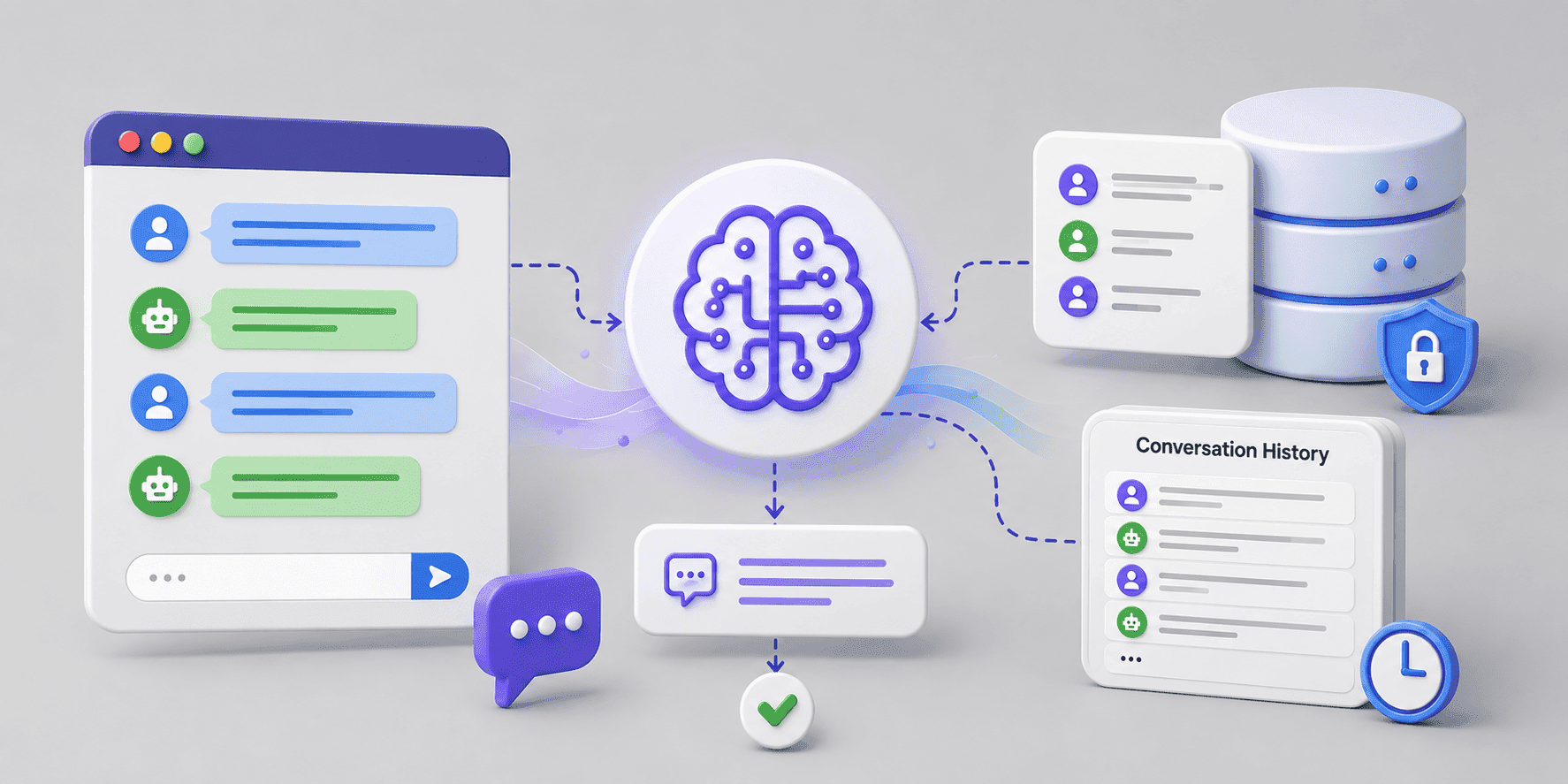
Memory Architecture
A simple production-oriented memory architecture can therefore look like this:
The memory layer decides what information should be available to the model.
The application does not necessarily need to send every historical message to the LLM.
This gives us more control over context size, cost, latency and relevance.
Production Considerations
A simple in-memory implementation is useful for learning, but production applications introduce additional considerations.
Conversation isolation
Every conversation should have a reliable conversation ID so that messages from different users or conversations do not get mixed.
Persistence
If conversations need to survive application restarts, memory should be stored in a persistent data store. And in a more advanced system, this can be extended with long-term memory and RAG.
Memory limits
Conversation history should be controlled rather than allowed to grow indefinitely.
Context management
Stored history, the memory window and the actual model context should be treated as separate concepts.
Multiple application instances
In a distributed application, relying on local in-memory state can cause problems.
For example:
              Load Balancer
                   │
          ┌────────┴────────┐
          ↓                 ↓
     Instance A         Instance B
       Memory              Memory
A conversation may reach a different application instance on the next request.
Using shared persistent memory avoids relying on the memory of a single instance:
              Load Balancer
                   │
          ┌────────┴────────┐
          ↓                 ↓
     Instance A         Instance B
          │                 │
          └───────┬─────────┘
                  ↓
           Shared Memory
             Storage
Managing long-term information
Long-term memory should not simply accumulate information forever.
Information may need to be:
For example, if a user's preference changes, the old preference should not continue influencing future responses.
This makes long-term memory a data-management problem as much as an AI problem.
Putting It All Together
The complete picture is:
Summary
Conversation memory allows an AI application to move beyond isolated requests and maintain meaningful interactions across multiple messages. The key idea is simple:
Store what you need, retrieve what is relevant, and send only the context the model needs.
In the next article, we'll build on this foundation and explore embeddings and Retrieval-Augmented Generation (RAG) with Spring AI.
Did you find this article useful?